Expenses, ad spend and your real profit
Record ads, waybill and other costs – see profit after everything.
In short
- Money → Add expense.
- For ads, pick the product so each product shows its own ad cost.
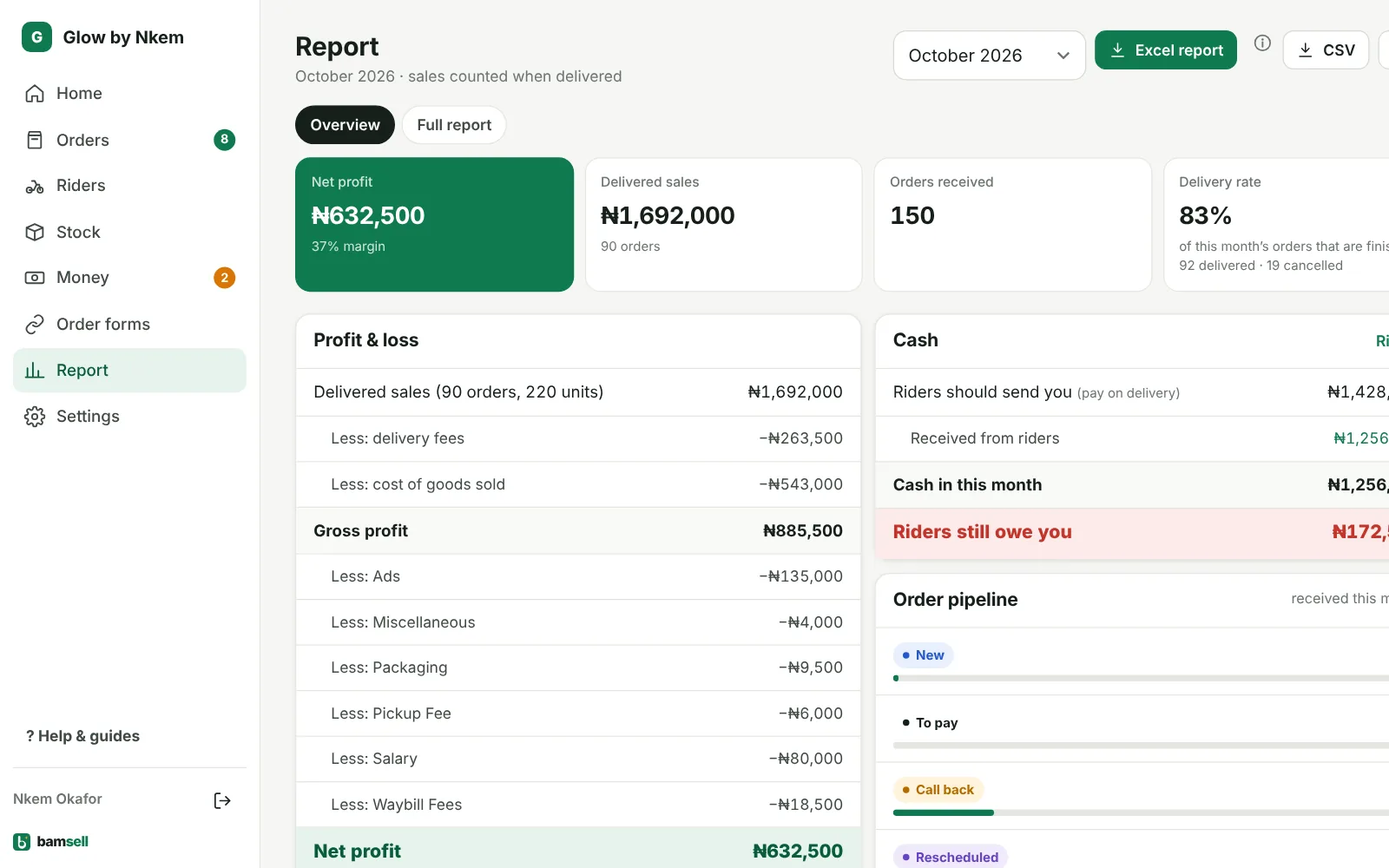
- Report shows profit after delivery, product cost, ads and expenses.
-
1Add an expense
Go to Money → Add expense, pick a category (Ads, Waybill Fees, Pickup Fee, Salary…) and the amount.
-
2Ads per product
For ads, choose For which product?. The report then shows ad spend, cost per delivered order and profit after ads for each product.
-
3Read the report
Open Report: delivered sales minus delivery fees, cost of goods and expenses = Net profit, with delivery rate and results by product and state.
In Bamsell