Choose a plan and pay
Pay by card, transfer, USSD or MoMo – your plan switches on immediately.
In short
- Settings → Plan & billing (owner only).
- Choose monthly or yearly (2 months free).
- Tap Pay now and finish on Paystack.
-
1Open Plan & billing
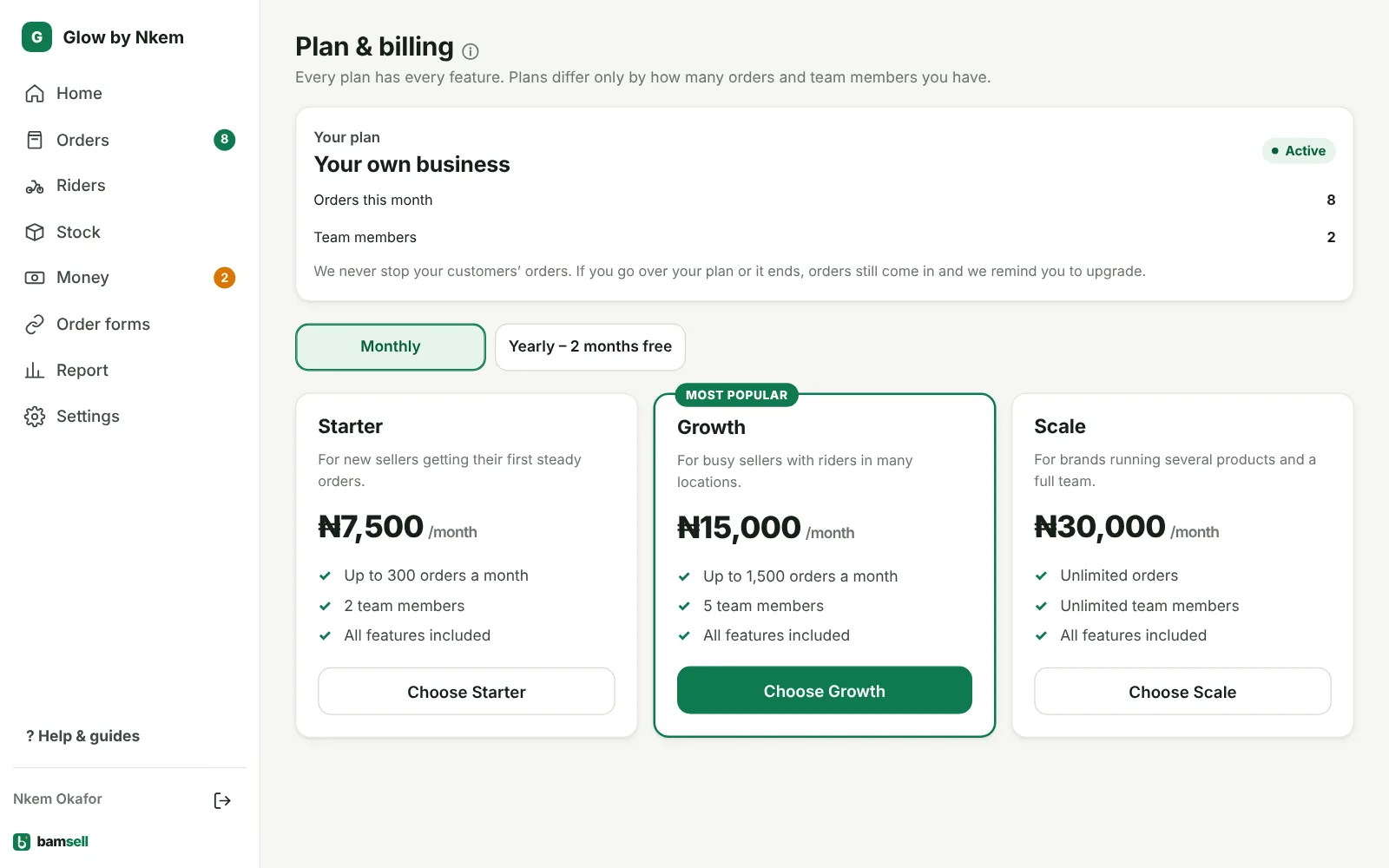
Go to Settings → Plan & billing (only the owner sees it), or tap the plan line at the bottom of the menu. It shows your plan, days left and orders this month.
In Bamsell -
2Pick a plan
Every plan has the full app; they differ by orders per month and team size. Yearly gives 2 months free.
-
3Pay
Tap Pay now and finish on Paystack. Your plan switches on as soon as it’s paid. You can also transfer directly and tap I’ve sent the transfer.
-
4Going over your plan
Your order forms never stop. If you get more orders than your plan includes, you’ll see a reminder to move up.