Read a rider statement and chase a balance
Delivered, fees kept, what they should remit, what they paid – and one tap to send it.
In short
- Riders → tap the rider → pick the month.
- “Still owes you” is what to collect.
- Tap “Send statement” to WhatsApp it to the rider.
-
1Open the rider
Go to Riders and tap a name. Choose the month at the top.
In Bamsell -
2Read the statement
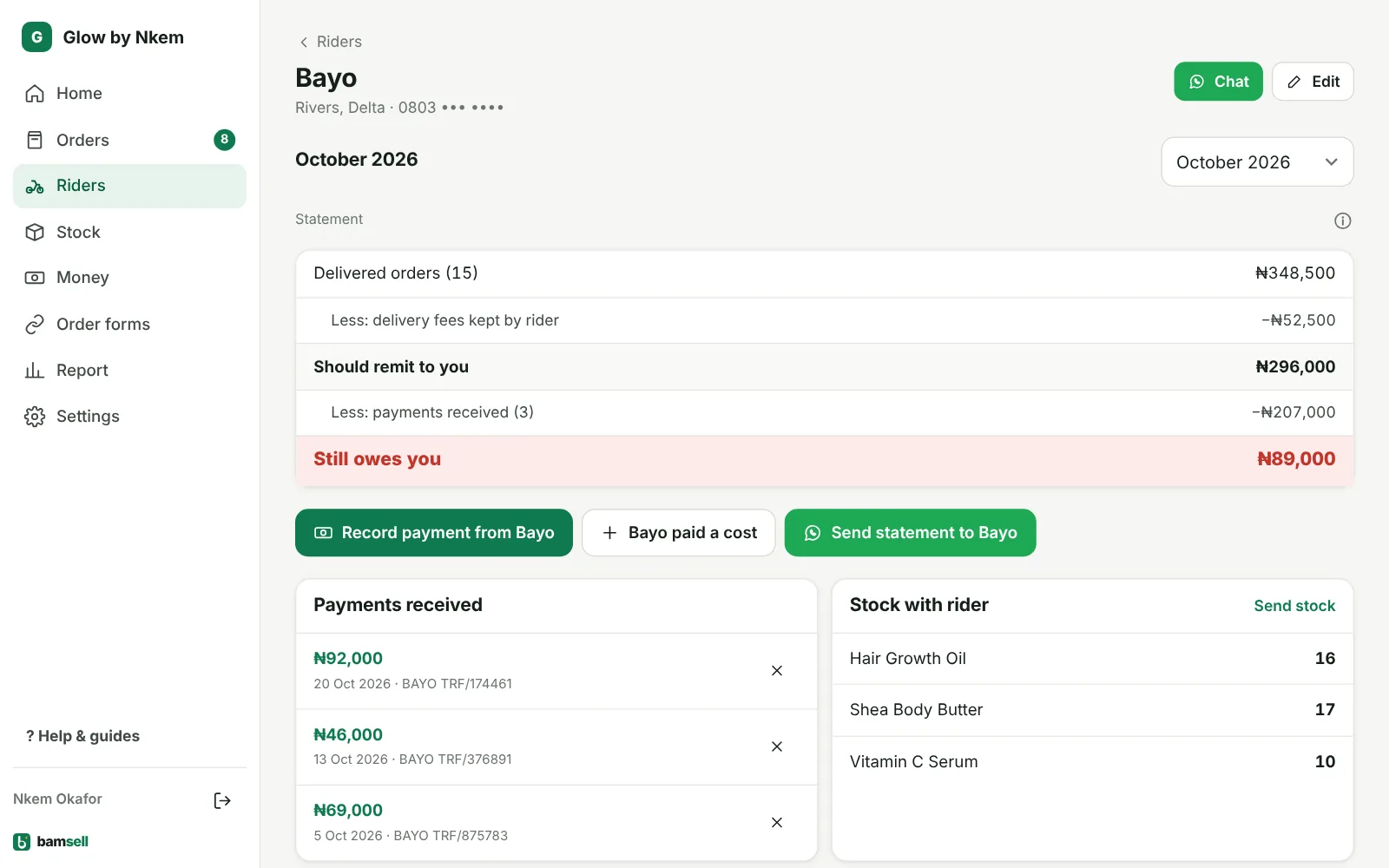
Delivered orders minus delivery fees kept by rider = Should remit to you. Then costs paid for you (a waybill or park fee the rider paid from the cash he collected) and payments received come off. What’s left is what they still owe, or Settled.
-
3A rider paid a cost for you
Tap paid a cost on the statement, or add it when you send stock from one rider to another. It comes off what he owes and is counted in your expenses, so profit stays right.
-
4Send it
Tap Send statement to … – WhatsApp opens with the whole statement ready to send. Recorded a transfer by hand? Use Record payment.