Add riders and where they deliver
Coverage decides which riders show on each order; bank names let payments record themselves.
In short
- Riders → Add rider.
- Tick every state (or region) they deliver to.
- Add the names their transfers come from, one per line.
-
1Add a rider
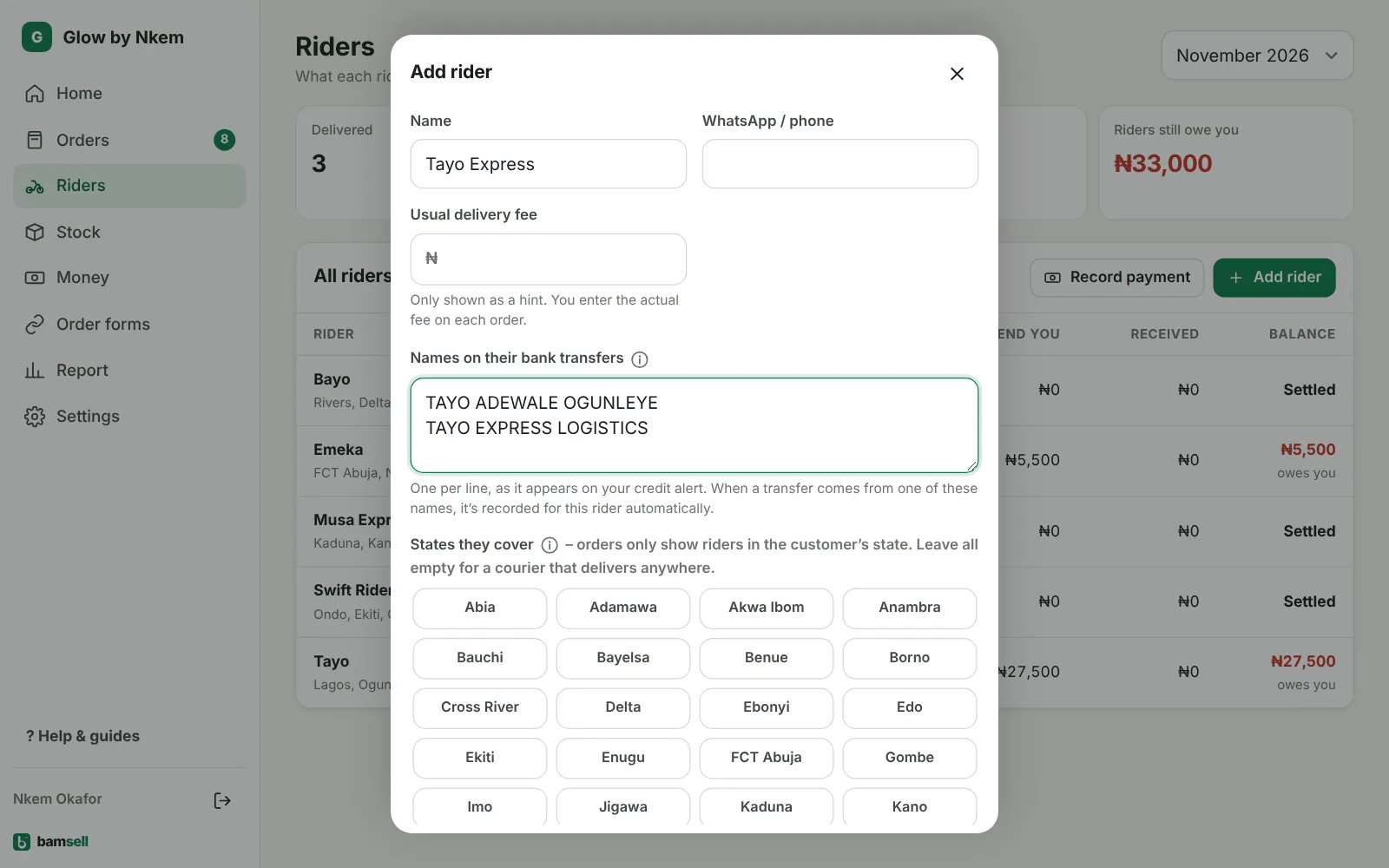
Go to Riders → Add rider. Enter the name (or courier company) and WhatsApp number.
In Bamsell -
2Where they deliver
Tick the states (Ghana: regions) they cover. Orders only show riders in the customer’s location, and when there’s only one, it’s picked for you.
-
3Usual delivery fee
This is only a hint shown on orders – staff type the real fee for each delivery, because it changes by area.
-
4Names on their bank transfers
Write the name exactly as it appears on your credit alert, one per line (e.g. their personal name and their company name). Transfers from these names are recorded for this rider automatically – see Record rider payments automatically.