Track stock in your store and with riders
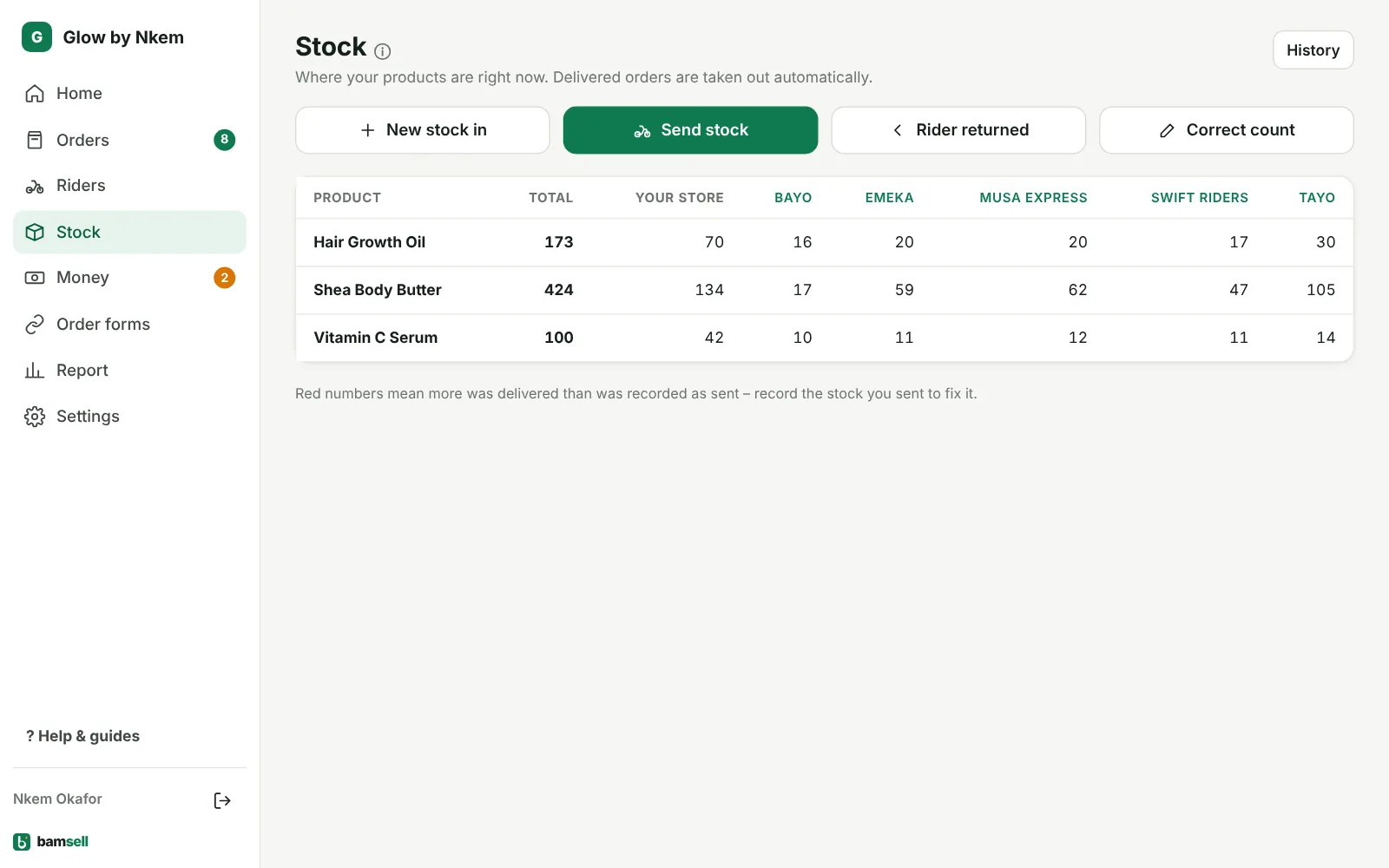
Know how many units are in your store and with each rider.
- Stock → New stock in when goods arrive.
- Send stock: from your store or from one rider to another.
- Delivered orders take stock from that rider automatically.
- Selling in two countries? Send stock to the other country; it’s added there when received.
-
1Add new stock
On Stock, tap New stock in when goods arrive from your supplier.
In Bamsell -
2Send stock to a rider
Tap Send stock. Choose From (your store, or a rider who already has the goods), the rider it goes To, the product and quantity. Paid a waybill? Add the fee. When a rider sends to another rider, you can also add his fee for taking it to the park and say who paid: if he paid from the cash he collected, it’s taken off what he owes you.
-
3Deliveries take stock automatically
When an order is marked Delivered, its units come off the rider who delivered it. Use Rider returned and Correct count when needed.
-
4Send stock to another country
If you also sell in Ghana (or Nigeria), tap Send stock to 🇬🇭 Ghana, choose the product, how many and where to take them from, and add the shipping cost if you like (it’s saved as a Waybill expense). The stock leaves now; in the other country it shows under On the way to you until someone taps Received – then it’s added to their store or a rider. If some arrive damaged, enter how many actually arrived.