Sell in more than one country
Add Ghana (or Nigeria) to the same account, with its own prices, riders and money.
- Settings → Countries you sell in → Add country.
- Copy your products, then set their prices in the new currency.
- Move goods across with Stock → Send stock to …
- Switch country from the menu at the top.
-
1Add the country
Go to Settings → Countries you sell in, choose the country and tap Add country. Keep Copy my products there ticked if you sell the same products.
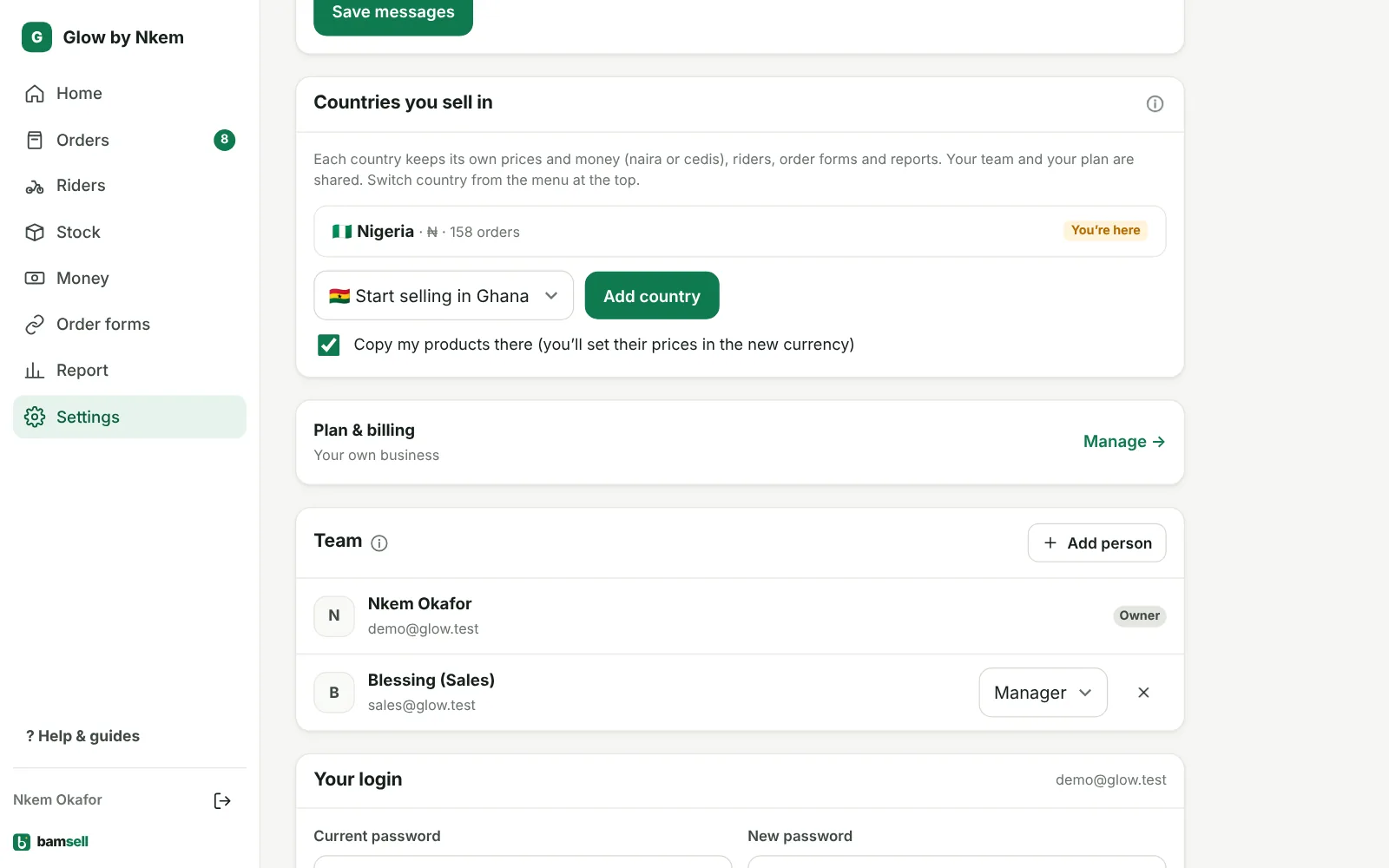
In Bamsell -
2Set prices in the new currency
You land on Products for the new country. Set each price and cost in cedis (or naira). Products you don’t sell there can be switched off.
-
3Riders, forms and money per country
Each country has its own riders (with its own states or regions), order forms, stock, expenses and reports. Money is never mixed between currencies.
-
4Move stock between countries
On Stock, tap Send stock to …. The goods leave this country straight away and are added in the other one when someone there marks them received. You can also enter what one unit costs you there, so profit stays right.
-
5Switch between countries
Use the flag menu at the top of the app. Your team and your plan are shared, and orders from all countries count towards your plan.